不支持HIP SDK的AMD显卡如何使用llama
我买的显卡是AMD Radeon RX 6700 XT,缺少hip sdk的支持,因此在llama-cpp里无法直接使用,通过自己构建rocm可以实现对6700xt的支持,运行大模型
环境准备
检查windows支持情况
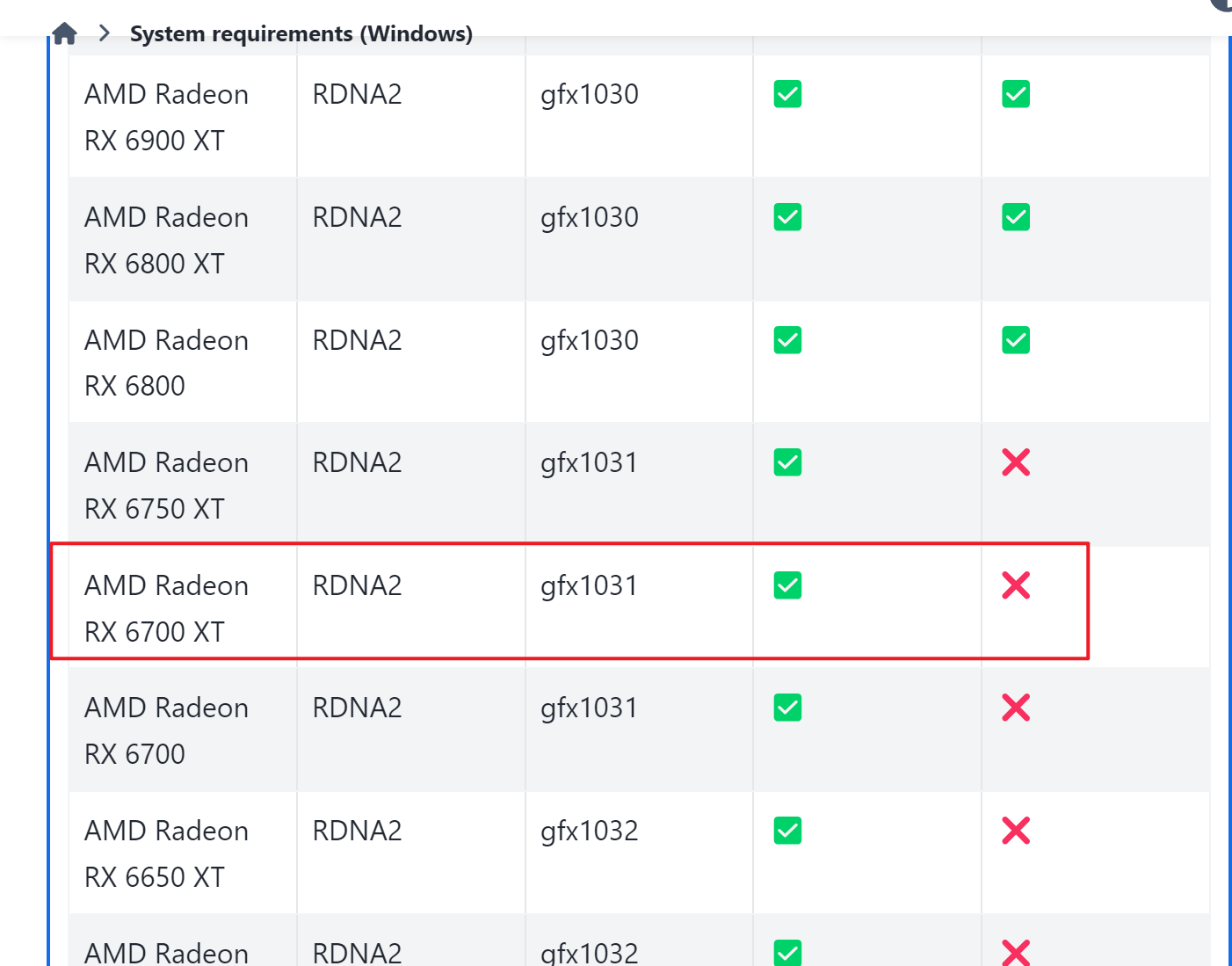
可以看到,6700xt不支持HIP SDK,导致无法直接使用现成的llama.cpp,必须自己编译
安装HIP SDK软件,更换驱动为pro版本
下载页面:https://www.amd.com/en/developer/resources/rocm-hub/hip-sdk.html
编译环境安装
安装Visual Studio Community
选择安装组件包:使用C++的桌面开发
安装Windows git,安装Strawberry Perl
下载llama.cpp,rocBLAS,Tensile
https://github.com/ggerganov/llama.cpp
https://github.com/ROCm/rocBLAS
https://github.com/ROCmSoftwarePlatform/Tensile
构建并编译
rocBLAS编译
1 | git clone https://github.com/ROCmSoftwarePlatform/rocBLAS |
在rocBLAS目录里,启动x64 Native Tools Command Prompt for VS工具,执行命令:
1 | python rmake.py -a gfx1031 --lazy-library-loading --no-merge-architectures -t C:\llama\Tensile |
1031根据显卡型号替换,
执行完成后继续执行:
1 | cmake --install build\release --prefix "C:\Program Files\AMD\ROCm\6.2" |
完成rocBLAS的安装
llama.cpp编译
继续使用 x64 Native Tools Command Prompt for VS工具
HIP_PATH就是C:\Program Files\AMD\ROCm\6.2
1 | git clone https://github.com/ggerganov/llama.cpp |
完成后可以在build/bin里找到编译完成的文件
运行
将sakura-14b-qwen2.5-v1.0-iq4xs.gguf放进bin文件里,执行命令就可以运行了
1 | .\llama-server.exe -m sakura-14b-qwen2.5-v1.0-iq4xs.gguf -ngl 999 --host 0.0.0.0 --port 5000 --no-webui |
